
I do not start in Claude Design
Audience · offer · goal · messages · proofs · tone · CTAs
Architecture · content · visual system · interface rules · images to plan
First interface and framed variants
Reusable decisions for the next version
If you already use Claude or ChatGPT, this is not about adding yet another platform: it is about having one place that connects the context, the decisions and the productions. The site does not start from a visual mood, but from the audience, the offer, the messages, the proofs and the conversion goal.
BAM does not ask you to write a design prompt. JOHANNES turns your strategy and your validated brief into a prompt ready to paste into Claude Design.
Build the web brief in BAM
What you decide here: who the site must convince, what that person must understand, the action they must take, the proofs that make the offer credible, the pages needed, and the editorial and visual constraints.
I am preparing a website for [company name / offer]. Site goal: [for example get qualified appointment bookings]. Priority audience: [who must recognize themselves in the site, and the problem they are trying to solve]. Offer and promise: [what you sell, what sets you apart, the available proofs]. Priority pages or screens: [for example home, appointment booking, before/after client case]. Brand elements to respect: [tone, vocabulary, colors, references, elements to avoid]. Content and conversion constraints: [language, CTAs, authorized testimonials, reassurance]. JOHANNES, before proposing the web brief: rephrase what is already decided, identify what is missing, ask the questions that could change the direction, then propose an argued recommendation.
Do not paste this text into Claude Design. It is there to let JOHANNES build your web direction from your strategy.
Validate the system before designing
Not everything gets tested. Before designing, the brief separates what is non-negotiable from what can vary from one direction to another:
What BAM helps you get: a complete web direction brief, a system rather than a visual intent:
Priority audience · conversion goal · offer and promise · messages, objections and proofs · CTAs
Screens to produce · reading order · block hierarchy · information to surface
Tone · level of detail · vocabulary to use or avoid · authorized testimonials and proofs
References · materials and intensity · contrast and readability · use of images · light and dark modes · excluded elements
What does not change · what can be tested · what must be reviewed before integration
For PATER, this system was validated before the first screen. And it was not written by hand: it is BAM's recommendation, built from the market and the style of the owner's Instagram account:
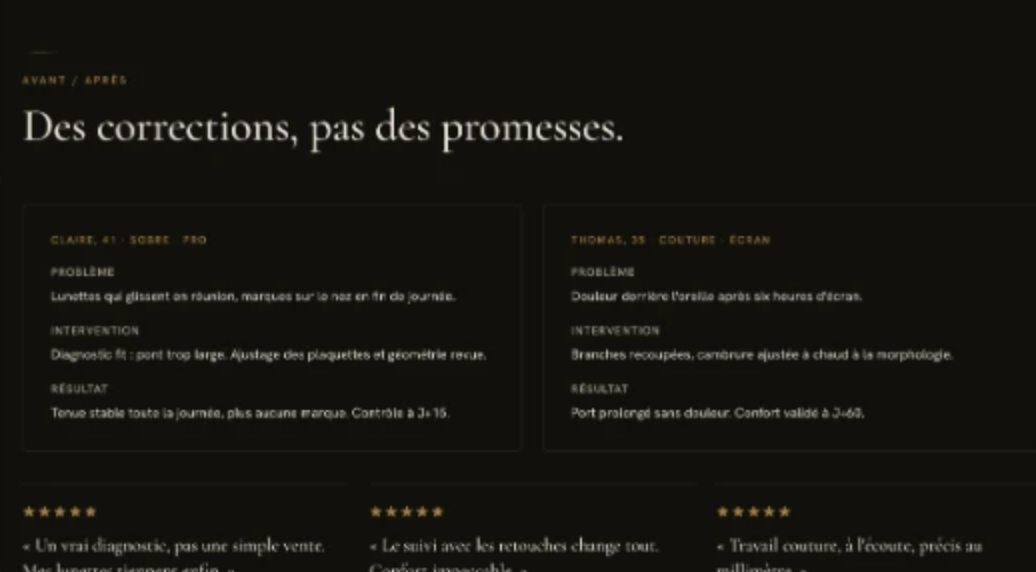
- A three-screen scope: home, appointment booking with pre-qualification, before/after with reviews.
- Real photos provided, each with a planned placement.
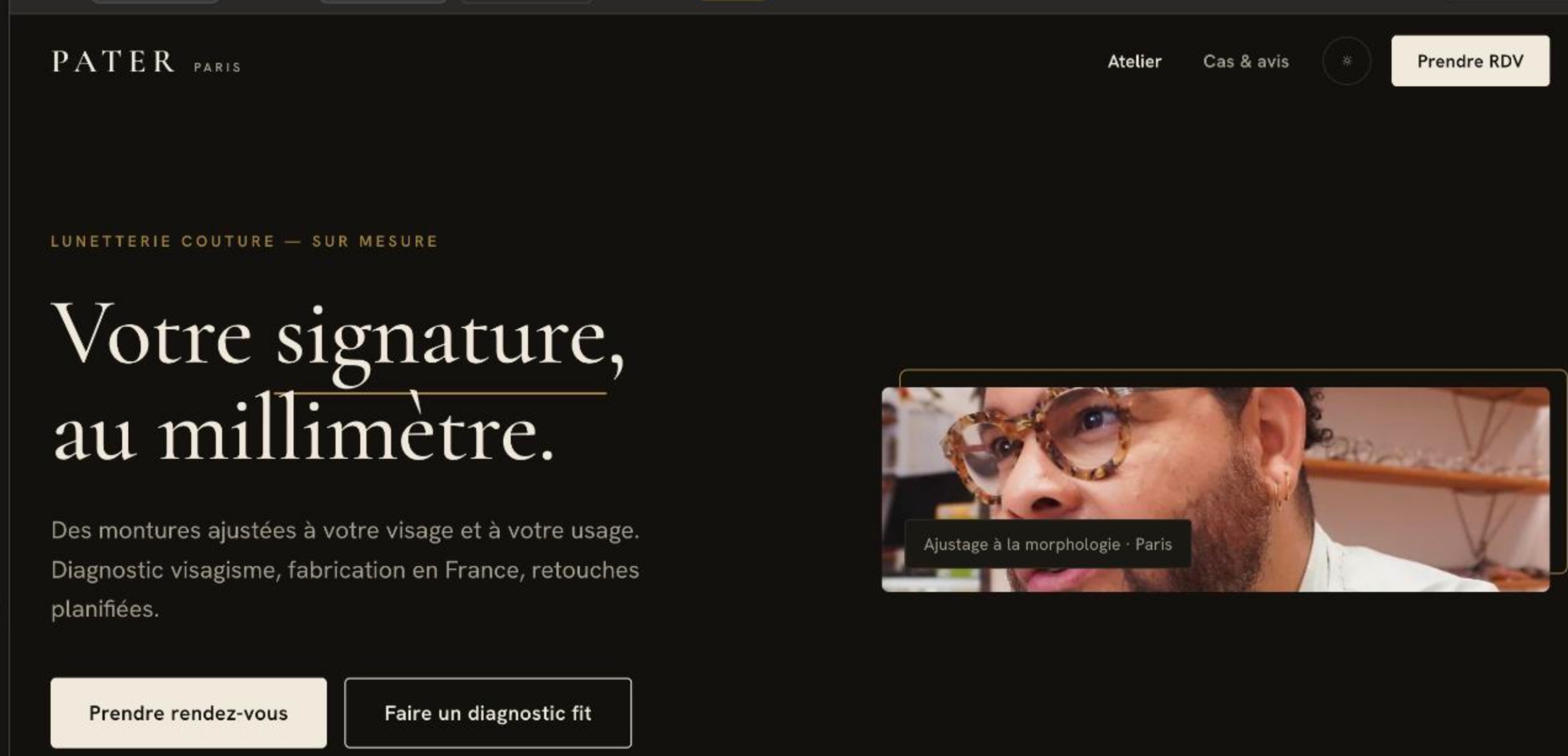
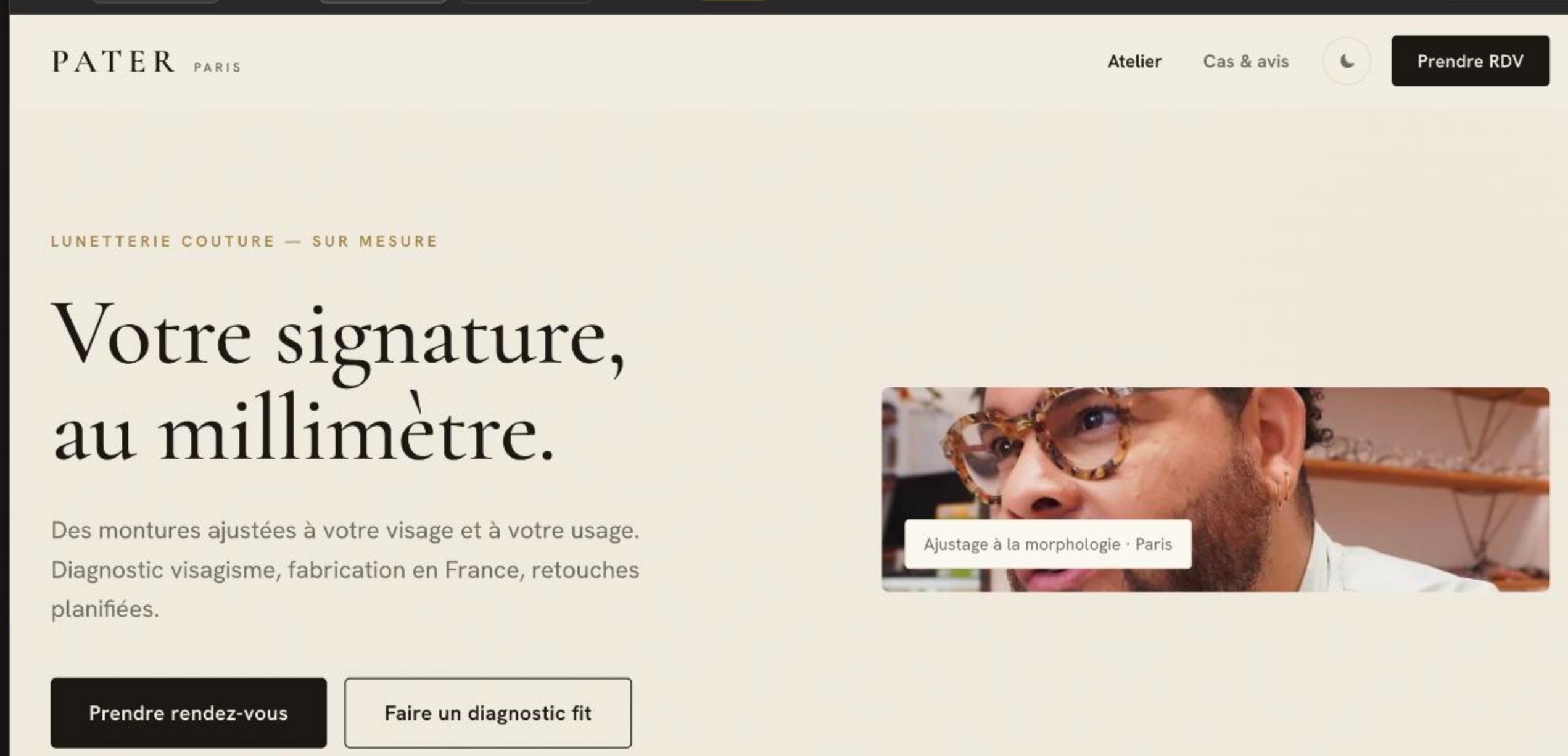
- A chosen language (French) and two visual modes: light ivory and dark, with a toggle.
- A material system: low-opacity tortoiseshell, brass as a micro-accent, never on action buttons.
- Zones where the material is allowed, and zones that stay clean: forms, proofs, FAQ.
- A dark mode rule of its own: zero texture, the material lives in the photos.
- Three named visual directions, and concrete requirements: slider, scroll rhythm, image formats.
Have JOHANNES prepare the prompt, then paste it into Claude Design
Once the brief is validated, you do not write the design prompt yourself: you ask JOHANNES for it, then paste its output into Claude Design.
From the validated strategy and web brief for [project / page name], prepare a prompt ready to paste into Claude Design. Include the goal, the priority audience, the problem they face, the validated promise, the mandatory messages, the available proofs, the CTAs, the sections and their order, the design and mobile rules, the available photos, and the phrasings to avoid. Clearly distinguish: what must not change, what can be explored visually, and the missing information to confirm before designing. Do not invent numbers, client results, testimonials, features or unvalidated content. The result must be a single, structured prompt ready to paste into Claude Design.
And rather than an abstract outline, here is what this prompt looks like once filled in, reconstructed from the PATER case. Do not copy it as is: ask JOHANNES for yours, or deduce the shape from it. Every field comes from the validated brief:
Create a first web direction for PATER, a made-to-measure couture eyewear atelier in Paris. Goal: get appointment bookings at the atelier. Audience: people who wear their glasses all day long and want a durable fit; main objection: yet another beautiful frame that will slip after three months. Promise: your signature, to the millimetre. Face-shape diagnosis, made in France, planned adjustments. Mandatory messages: corrections, not promises; a real diagnosis, not a mere sale; every discomfort has a precise cause. Proofs to surface: two detailed before/after cases, client reviews, a three-marker diagnosis method. Primary CTA: Book an appointment. Secondary CTA: Get a fit diagnosis. Expected structure: hero, four-point reassurance, fit problems and their causes, face-shape reading, the material up close, before/after and reviews, final CTA. Visual direction: sober couture, brass as a micro-accent allowed on titles and labels, forbidden on action buttons; low-opacity tortoiseshell; in dark mode, zero texture, the material lives in the photos. Photos: real workshop photos, 3:4 material gallery, panoramic slider. Mobile first: message hierarchy, readability of the CTAs and of the booking form. Must not change: the goal, the audience, the promise, the messages, the proofs, the CTAs, the material rules. Can be explored: the composition (three named directions: couture, magazine, editorial), the photo treatment, the section rhythm. Do not invent numbers, testimonials or features. Before generating, summarize in five lines the goal, the audience, the promise, the design rules and what must not change.
- Invent your audience.
- Decide your promise.
- Replace your proofs.
- Choose the CTAs alone.
- Add a style that contradicts your rules.
- Translate the decisions into an interface.
- Propose a first direction.
- Compare framed variants.
- Produce a base to review.
Two framed variants of the same system, for PATER: same texts, same CTAs, another expression.
Come back to BAM for the next version
After each proposal, validate what must stay, what evolves and what is excluded, then record it in your BAM project: design tools do not remember your rules from one session to the next. It is the same discipline as in The art of the brief: inventory first, production second.
BAM structures the strategy and produces the web direction brief. Claude Design translates it into an interface. Wix then lets you integrate it, after validation.
The logical next step: build your first Wix page from a validated brief.